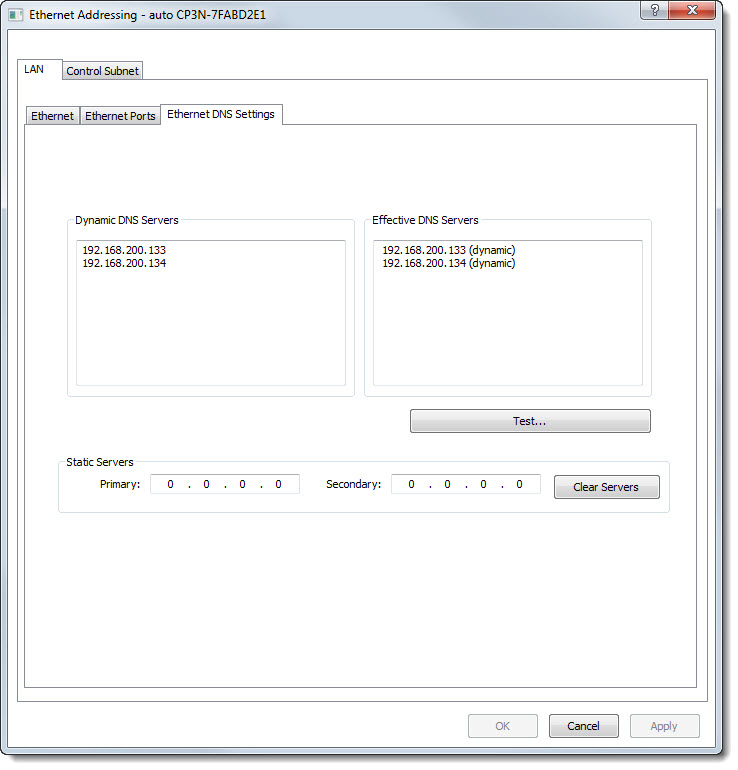
Use the Ethernet DNS Setting tab to configure Ethernet DNS settings and test Domain Name Resolution.
 The Ethernet DNS Settings are accessed from the Ethernet Addressing Function by clicking
on the Ethernet DNS Settings tab:
The Ethernet DNS Settings are accessed from the Ethernet Addressing Function by clicking
on the Ethernet DNS Settings tab:

Dynamic DNS Servers & Effective DNS Servers
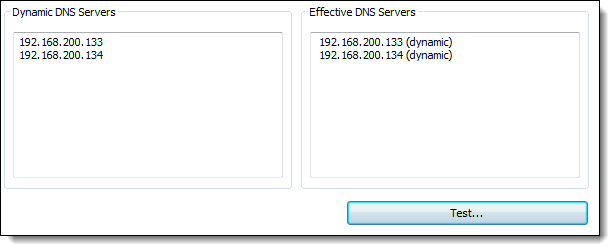
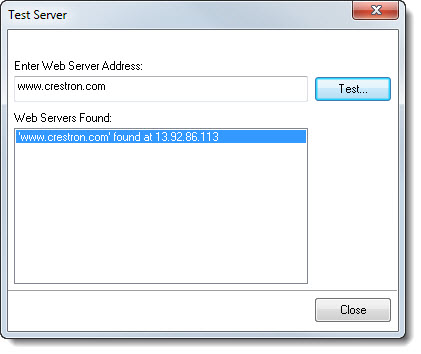
To Test Domain Name Resolution

To Set Static Servers


If the Ethernet DNS Settings are valid, then the device will reboot.
If any Ethernet DSN Settings are invalid, then a Toolbox window will be displayed that lists where the invalid settings occur:

|
Restore the device to the previous settings. All new settings will be lost. |

|
Accept any settings sent to the device. Please note that the device will not set any invalid values |

|
Return to Ethernet DNS Settings and fix any errors based on the listing of invalid settings and there respective locations. |